The OpenStack Networking service provides a scalable system for managing the network connectivity within an OpenStack cloud deployment. It can easily and quickly react to changing network needs (for example, creating and assigning new IP addresses). Networking in OpenStack is complex. This section provides the basic instructions for creating a network and a router. For detailed information about managing networks, refer to the OpenStack Networking Guide.
Create a network
- Log in to the dashboard.
- Select the appropriate project from the drop down menu at the top left.
- On the Project tabthe Project tab, open the Network tab and click Networks categorythe Network tab and click Networks category.
- Click Create Click Create Network.
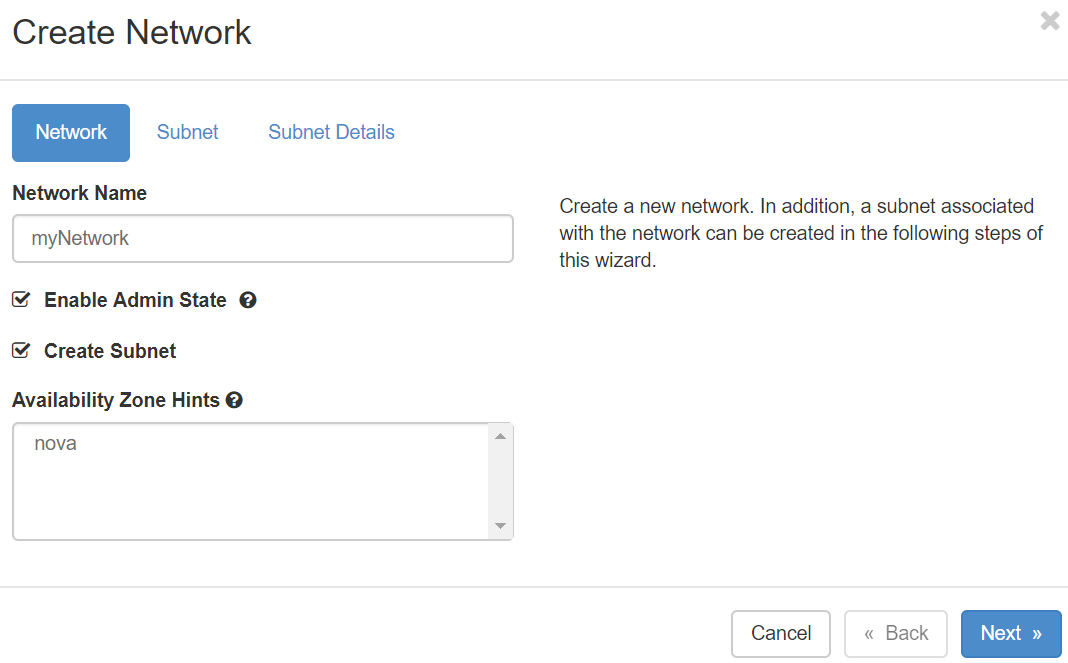
- In the Create Network dialog the Create Network dialog box (fig), specify the values below.
- Click CreateClick Create.
The dashboard shows the network on the Networks tab.
...
- the Networks tab.
Network tab
Network Name: Specify a name to identify the network.
Shared: Share the network with other projects. Non admin users are not allowed to set shared option.
Admin State: The state to start the network in.
Create Subnet: Select this check box to create a subnet
You do not have to specify a subnet when you create a network, but if you do not specify a subnet, the network can not be attached to an instance.
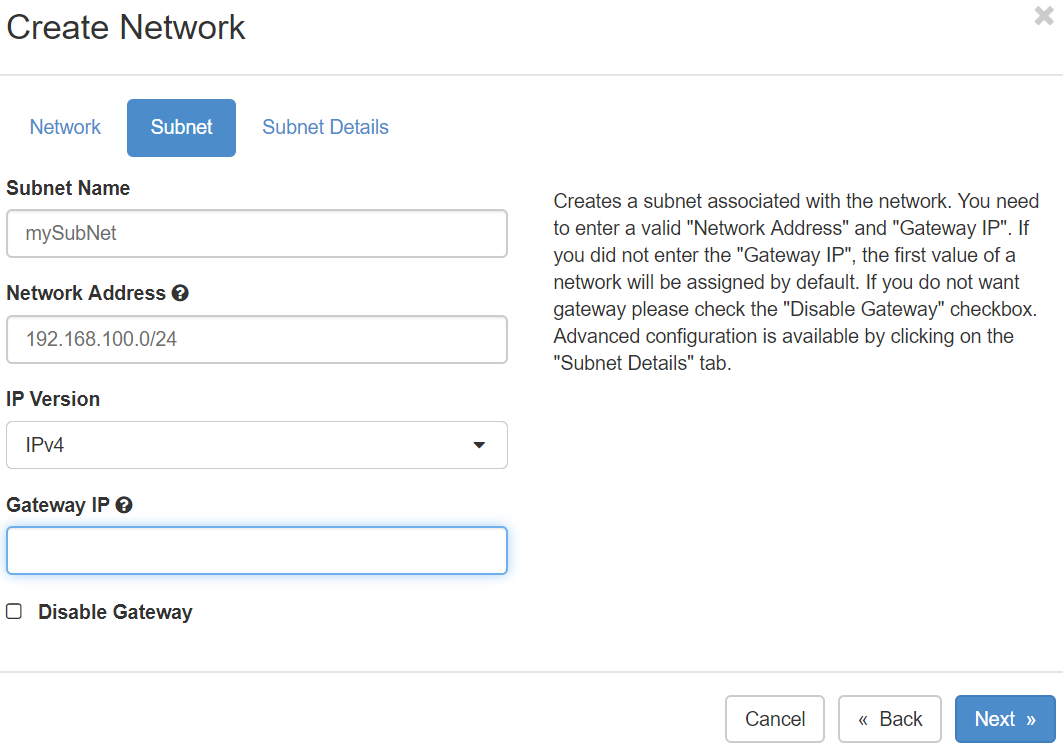
Subnet tab
Subnet Name: Specify a name for the subnet.
Network Address: Specify the IP address for the subnet (e.g. 192.168.100.0/24).
IP Version: Select IPv4 or IPv6.
Gateway IP: Specify an IP address for a specific gateway. This parameter is optional.
Disable Gateway: Select this check box to disable a gateway IP address.
Subnet Details tab
Enable DHCP: Select this check box to enable DHCP.
Allocation Pools: Specify IP address pools.
DNS Name Servers: Specify a name for the DNS server.
Host Routes: Specify the IP address of host routes.
...