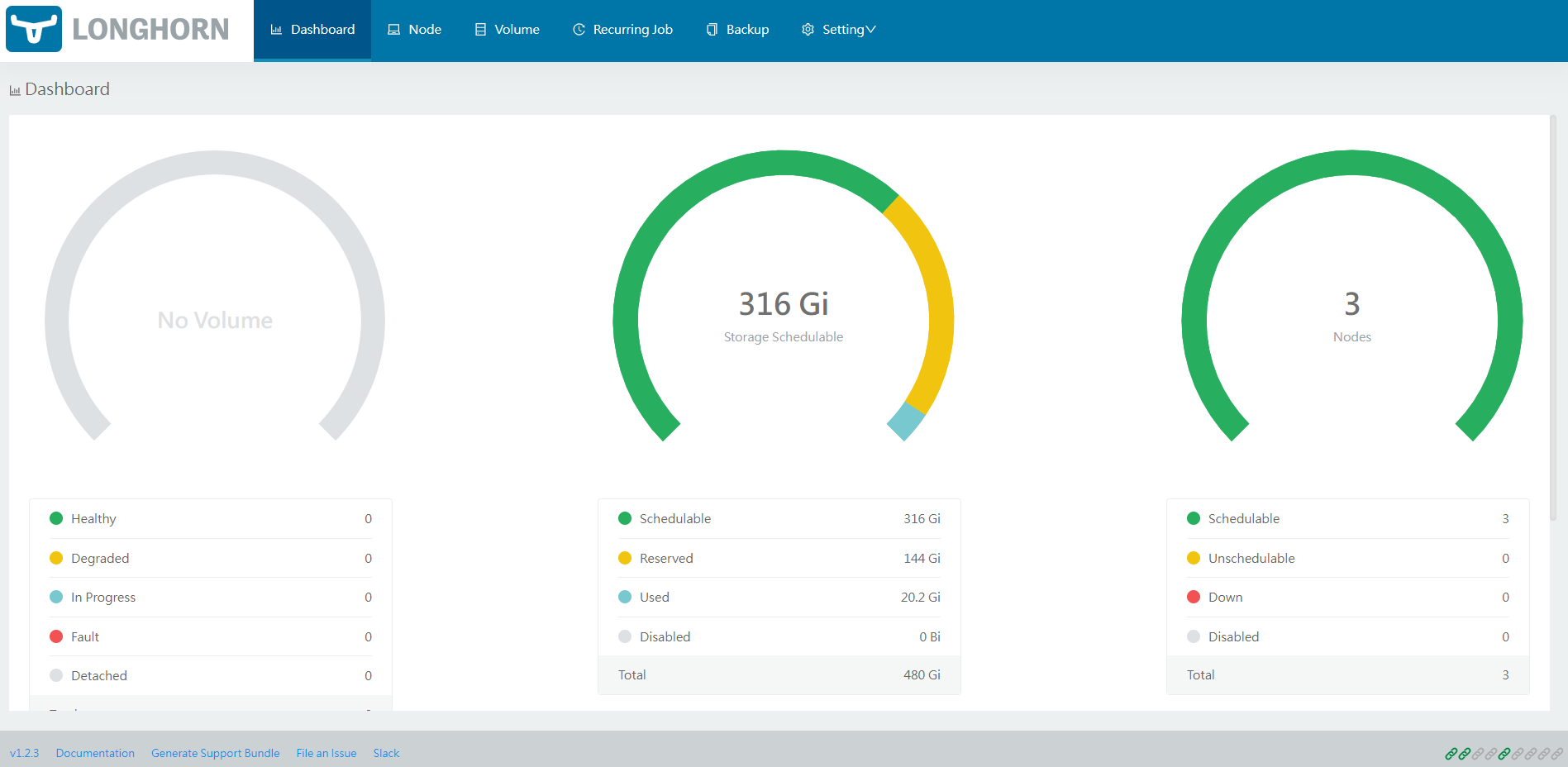
...
LH can be installed on a Kubernetes cluster in several ways: Rancher catalog app, kubectl or Helm. In this guide we will focus on the installation via Helm chart, which must of course be installed. However, for further details, please refer to the official guide.
Requirements
Each node in the Kubernetes cluster where LH is installed must fulfill the following requirements:
...
| Code Block | ||||||
|---|---|---|---|---|---|---|
| ||||||
$ kubectl -n longhorn-system get pod NAME READY STATUS RESTARTS AGE csi-attacher-5f46994f7-4t8dn 1/1 Running 0 82s csi-attacher-5f46994f7-l6gjl 1/1 Running 0 81s csi-attacher-5f46994f7-tkz4p 1/1 Running 0 81s csi-provisioner-6ccbfbf86f-78gvc 1/1 Running 0 81s csi-provisioner-6ccbfbf86f-psrt2 1/1 Running 0 81s csi-provisioner-6ccbfbf86f-zccxt 1/1 Running 0 81s csi-resizer-6dd8bd4c97-462sd 1/1 Running 0 81s csi-resizer-6dd8bd4c97-jls9w 1/1 Running 0 81s csi-resizer-6dd8bd4c97-kn5bb 1/1 Running 0 81s csi-snapshotter-86f65d8bc-2968g 1/1 Running 0 81s csi-snapshotter-86f65d8bc-8ptsr 1/1 Running 0 81s csi-snapshotter-86f65d8bc-vgrr4 1/1 Running 0 81s engine-image-ei-fa2dfbf0-fd4kj 1/1 Running 0 109s engine-image-ei-fa2dfbf0-hcv8p 1/1 Running 0 109s engine-image-ei-fa2dfbf0-q7qdt 1/1 Running 0 109s instance-manager-e-23cd97d9 1/1 Running 0 109s instance-manager-e-275b5e10 1/1 Running 0 100s instance-manager-e-fdd447fd 1/1 Running 0 105s instance-manager-r-17584df4 1/1 Running 0 109s instance-manager-r-2a170a69 1/1 Running 0 100s instance-manager-r-544a80b6 1/1 Running 0 104s longhorn-csi-plugin-5qmqv 2/2 Running 0 80s longhorn-csi-plugin-hqpcm 2/2 Running 0 80s longhorn-csi-plugin-sb5nf 2/2 Running 0 80s longhorn-driver-deployer-6db849975f-cjjnj 1/1 Running 0 2m15s longhorn-manager-4k7p7 1/1 Running 1 2m15s longhorn-manager-pvd2b 1/1 Running 0 2m15s longhorn-manager-rh99r 1/1 Running 1 2m15s longhorn-ui-6f547c964-7vbl4 1/1 Running 0 2m15s |
Accessing the UI
| Info | ||
|---|---|---|
| ||
These instructions assume that LH and a ingress controller (i.e. Nginx, Traefik) are installed, of course. |
Once LH has been installed in your Kubernetes cluster, you can access the UI dashboard. First let's see which service we need to connect our ingress controller to. So let's use
| Code Block | ||||||
|---|---|---|---|---|---|---|
| ||||||
# The service we are interested in is "longhorn-frontend"
$ kubectl -n longhorn-system get svc
NAME                TYPE        CLUSTER-IP      EXTERNAL-IP   PORT(S)     AGE
longhorn-backend    ClusterIP   10.233.28.215   <none>        9500/TCP    24h
longhorn-frontend ClusterIP 10.233.63.167 <none> 80/TCP 24h |
At this point we can build the ingress resource, as usual
| Code Block | ||||||
|---|---|---|---|---|---|---|
| ||||||
apiVersion: networking.k8s.io/v1
kind: Ingress
metadata:
  name: longhorn-ingress
  namespace: longhorn-system
spec:
#  tls:		# Uncomment this part if you have the secret
#  - hosts:
#    - <host>
#    secretName: <secret>
  rules:
  - host: <host>
    http:
      paths:
      - path: /
        pathType: Prefix
        backend:
          service:
            name: longhorn-frontend
            port:
number: 80 |