...
Here's the Home page that you will see after the job went running:
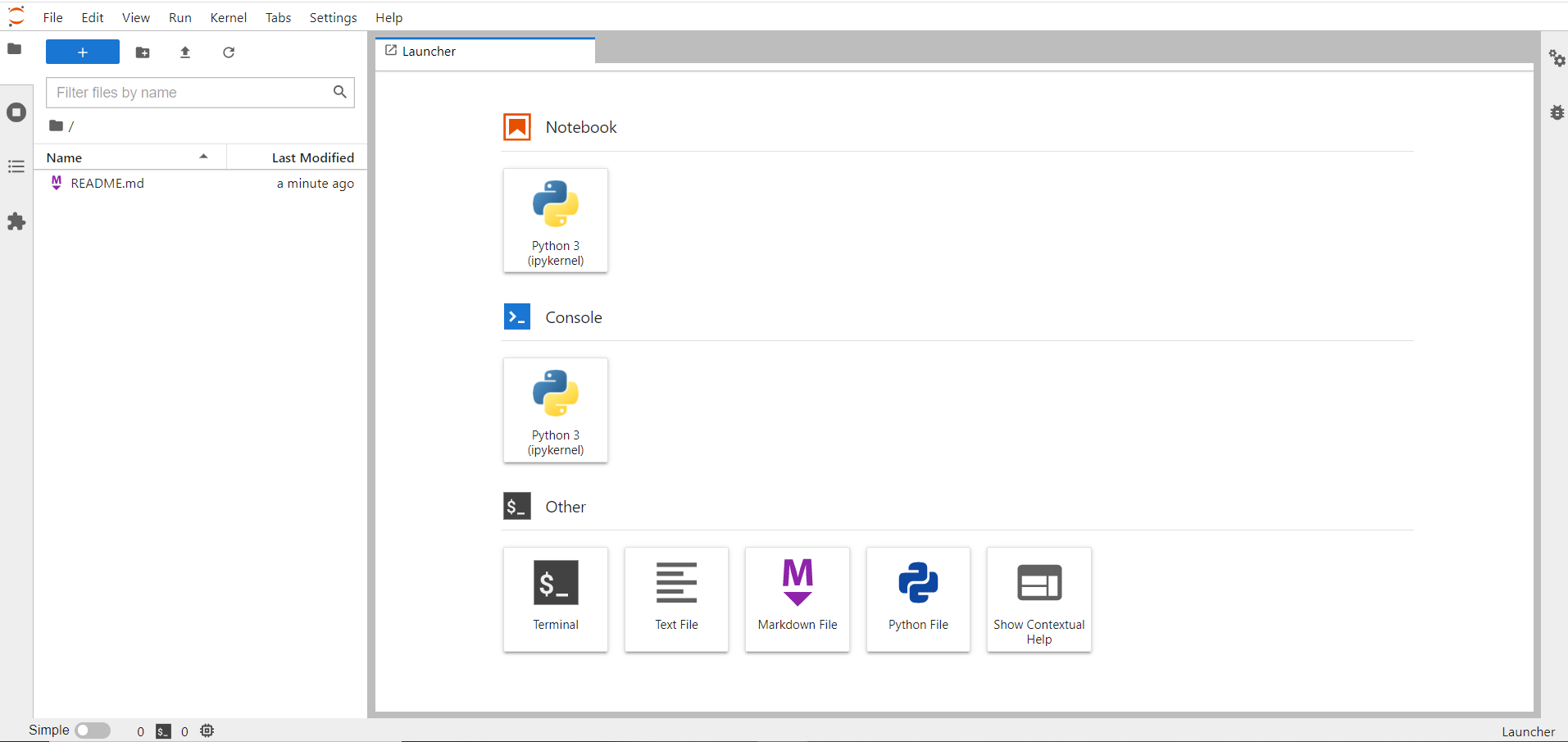

From this page, it is possible to browse through the different tools, for instance you can open a new Python notebook or a bash shell:
...
If a user needs to customize the owner environment, it has to explain the content of a python configuration file in the specific window at the login web page.
For example, in order to load the CVMFS path the user should explain the right instructions as in the picture below.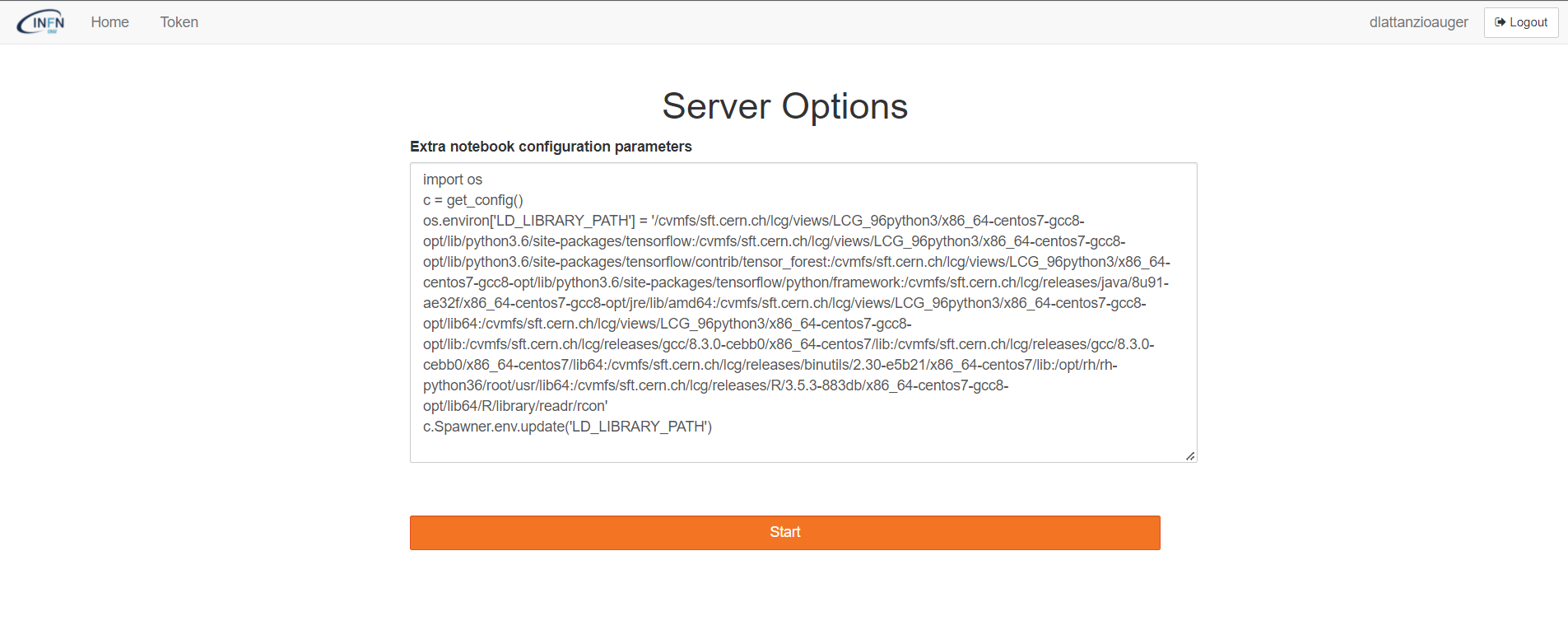
Indeed, in this case the LD_LIBRARY_PATH is properly loaded inside of the jupyter notebook.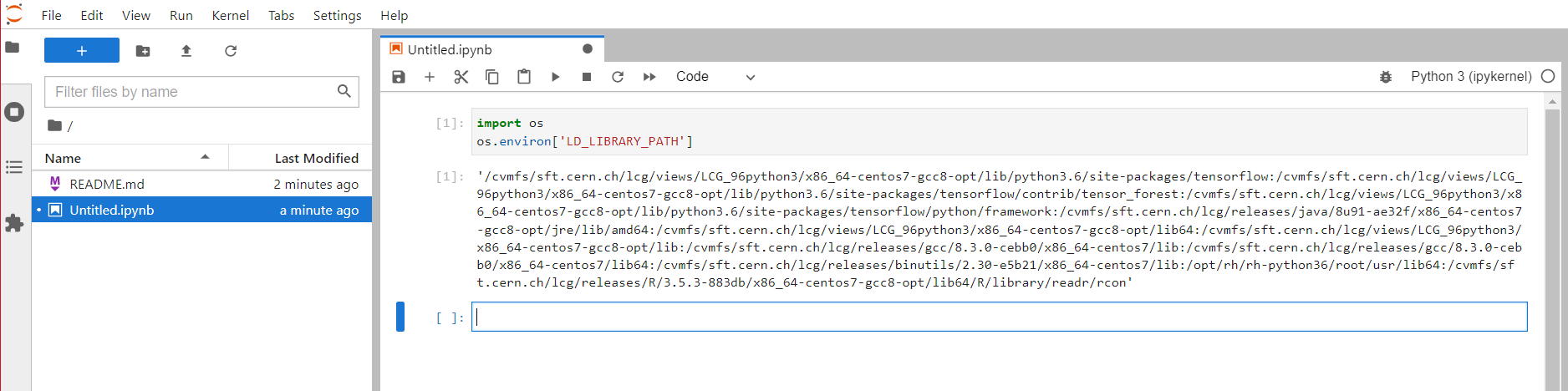
N.B. This procedure cannot work if the jupyter notebook is already running.
| Anchor |
|---|
...
|
...
|
...
Micromamba environment creation
During the Jupyter notebook excecution, it is possible to create a Conda micromamba environment by installing different packages like another Python version. For instance, you can issue the following commands:
| Code Block | ||||
|---|---|---|---|---|
| ||||
%conda%mamba create -n test -y python=3.613 %conda%mamba run -n test pip install ipykernel %conda%mamba run -n test python -m ipykernel install --user --name python3.613 --display-name PythonCustom_3.613 |
N.B. If you had previously the jupyter environment, before launching the above commands, you need to import again the proper environment variable:
...
At this point, you will see a new shortcut to a new notebook which contains the new PythonCustom_3.6 conda mamba environment.
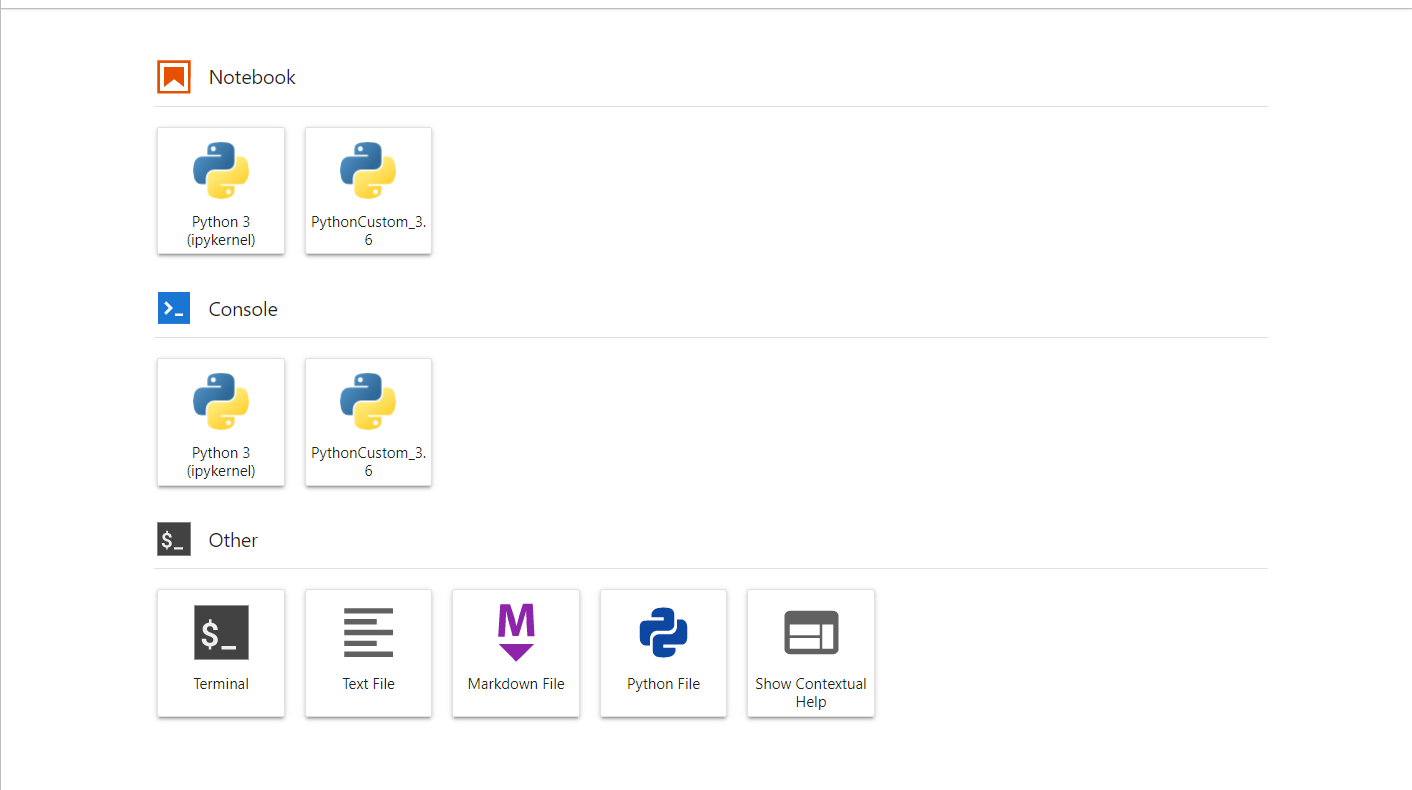
For example, inside this new notebook, you can launch the ROOT software:
...
Welcome to JupyROOT 6.18/00
| Anchor | ||
|---|---|---|
|
...
|
...
|
...
micromamba environment
After having issued a proper conda mamba environment, the user has to activate it in order to use it from the CLI:
| Code Block | ||||
|---|---|---|---|---|
| ||||
Singularity> condamamba activate test |
N.B. In order to avoid the following error:
| Code Block | ||||
|---|---|---|---|---|
| ||||
Singularity> condamamba activate test /usr/bin/python3: symbol lookup error: /usr/bin/python3: undefined symbol: _Py_LegacyLocaleDetected Singularity> |
...
| Code Block | ||||
|---|---|---|---|---|
| ||||
Singularity> unset LD_LIBRARY_PATH Singularity> condamamba activate test (test) Singularity> Singularity> |
At this point, it is possible for example to install a software like R:
| Code Block | ||||
|---|---|---|---|---|
| ||||
(test) Singularity> condamamba install R |
and then it can be executed:
...
| Code Block | ||||
|---|---|---|---|---|
| ||||
> install.packages('IRkernel') |
During the installation, the user will be prompted with a list of different countries. For a quicker installation, the nearest can be chosen.
At this point, running the following command, a new R shortcut will be available on the main Jupyter dashboard:
| Code Block | ||||
|---|---|---|---|---|
| ||||
IRkernel::installspec() |
...