Volumes are block storage devices that you attach to instances to enable persistent storage. You can attach a volume to a running instance or detach a volume and attach it to another instance at any time. You can also create a snapshot from or delete a volume. Only administrative users can create volume types.
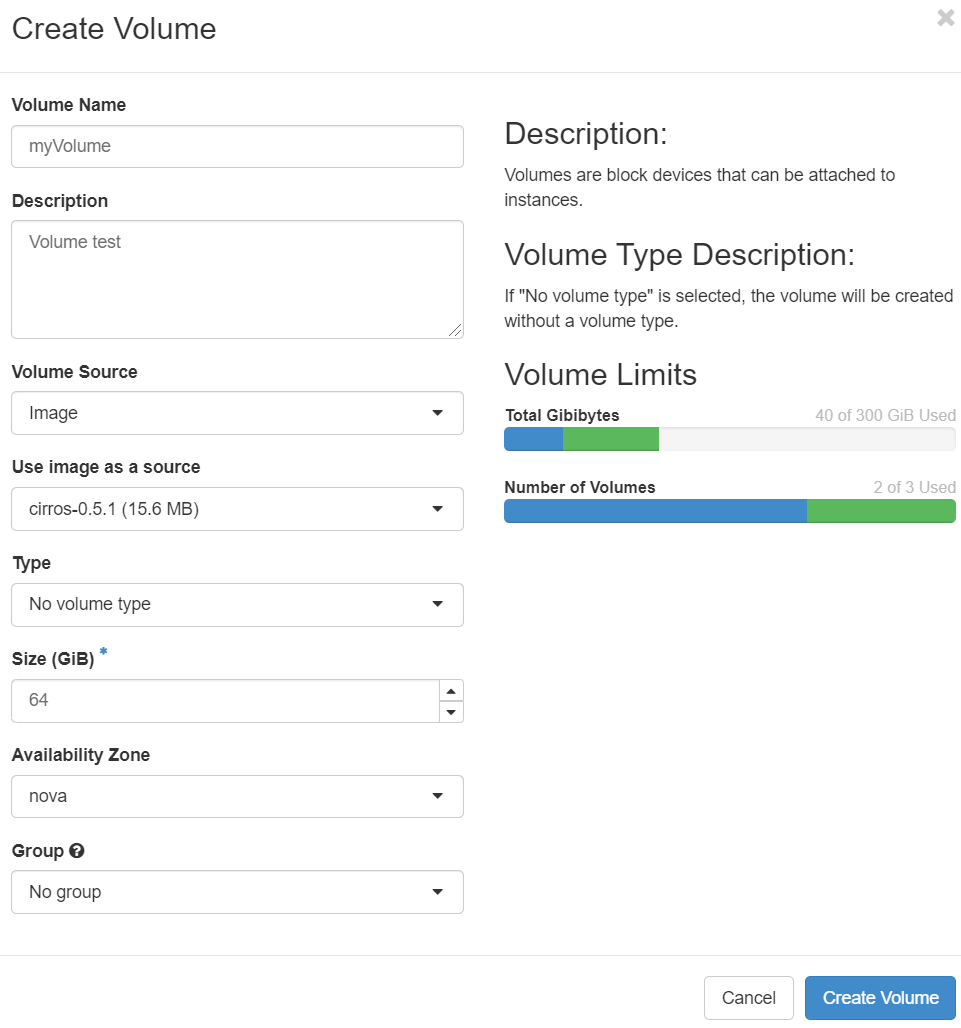
The dashboard shows the volume on the Volumes tab.
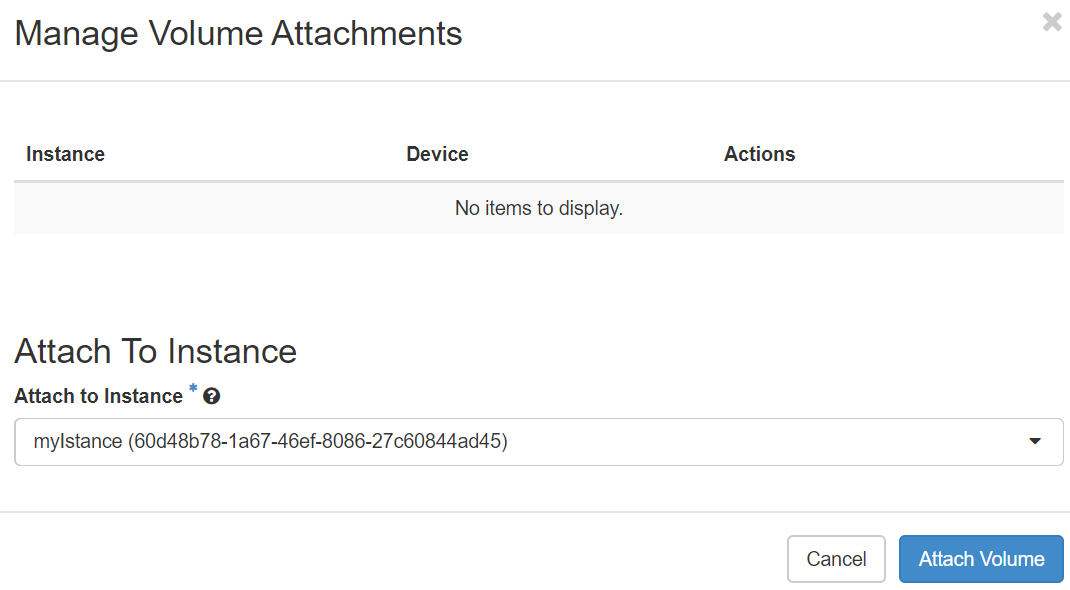
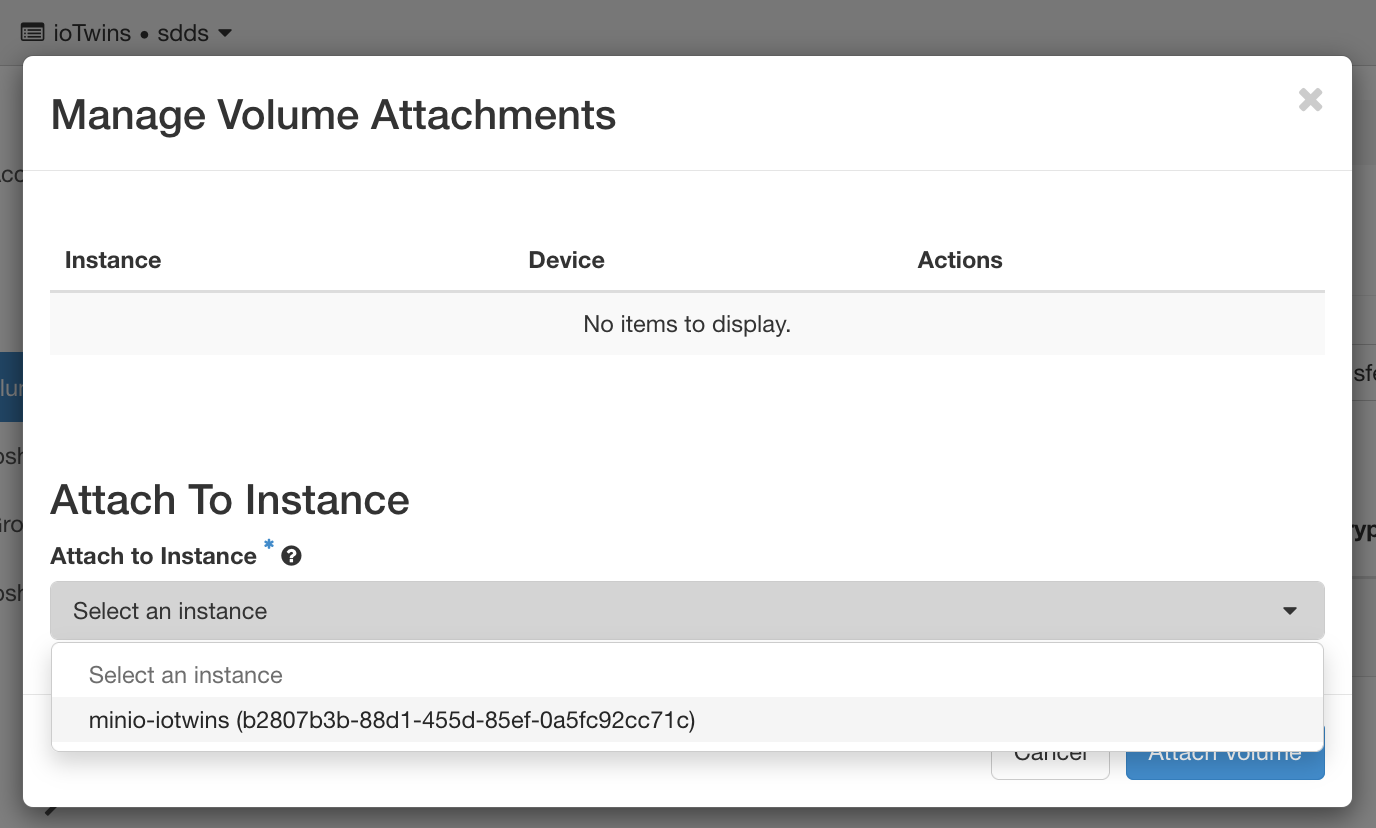
After you create one or more volumes, you can attach them to instances. You can attach a volume to one instance at a time.
Note: The actual device name might differ from the volume name because of hypervisor settings.
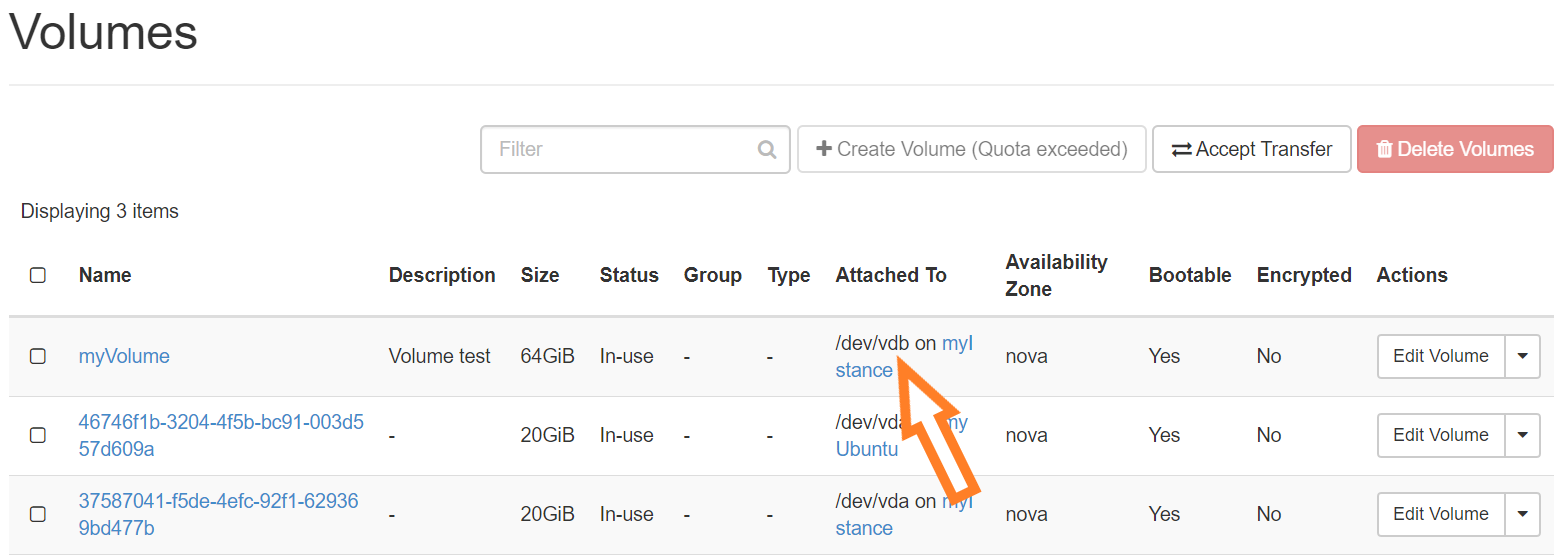
 You can view the status of a volume in the Volumes tab of the dashboard. The volume is either Available or In-Use. Now you can log in to the instance and mount, format, and use the disk. To find out which name has been assigned to our volume, go to the Volume tab (fig): in our case it is called vdb.
So, let's connect to our instance and check that the disk has been added. To find your disk, let's use the command
$ cat /proc/partitions |
If needed, create a file system on it (this will scratch the disk!)
$ sudo mkfs -t ext4 /dev/<volume> |
Finally, mount the disk with
$ sudo mount /dev/<volume> /mnt |
First, you need to unmount the volume, using the command
$ sudo umount /mnt |
So, follow the steps:
A message indicates whether the action was successful. The detached volume can then be associated to another VM, as described above (you won’t have to re-create the file system, otherwise you will loose the content of the volume!).
Note: You can extend a volume by using the Extend Volume option available in the More dropdown list and entering the new value for volume size.
When you delete an instance, the data in its attached volumes is not deleted.
In order to extend a volume already attached to an instance, it following steps should be followed:
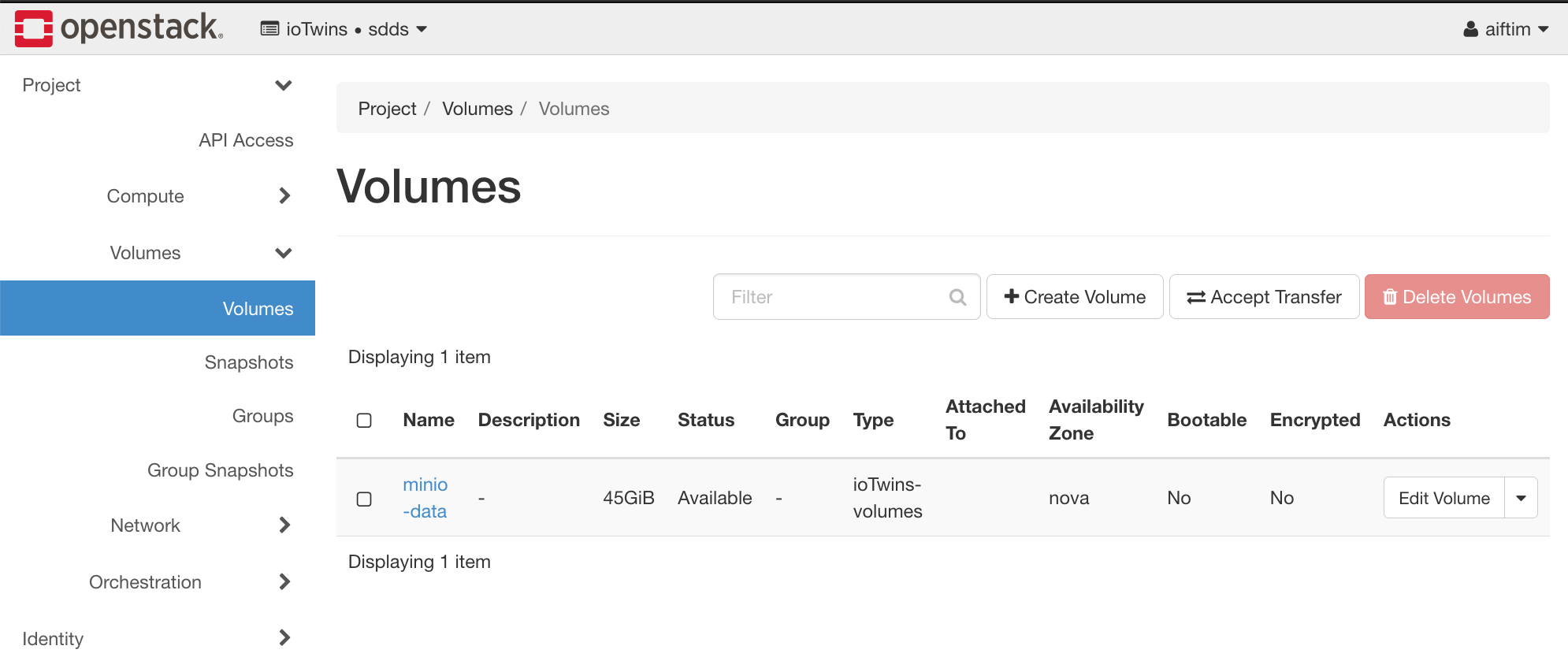
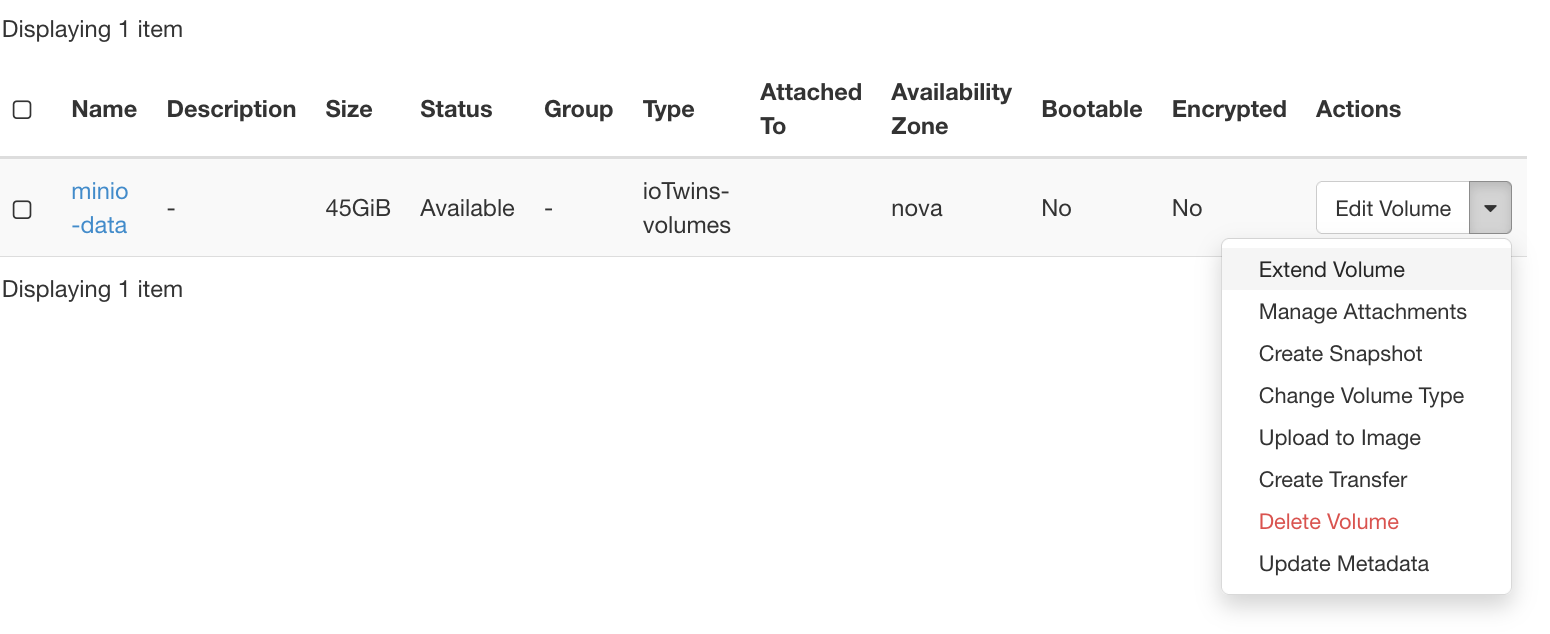
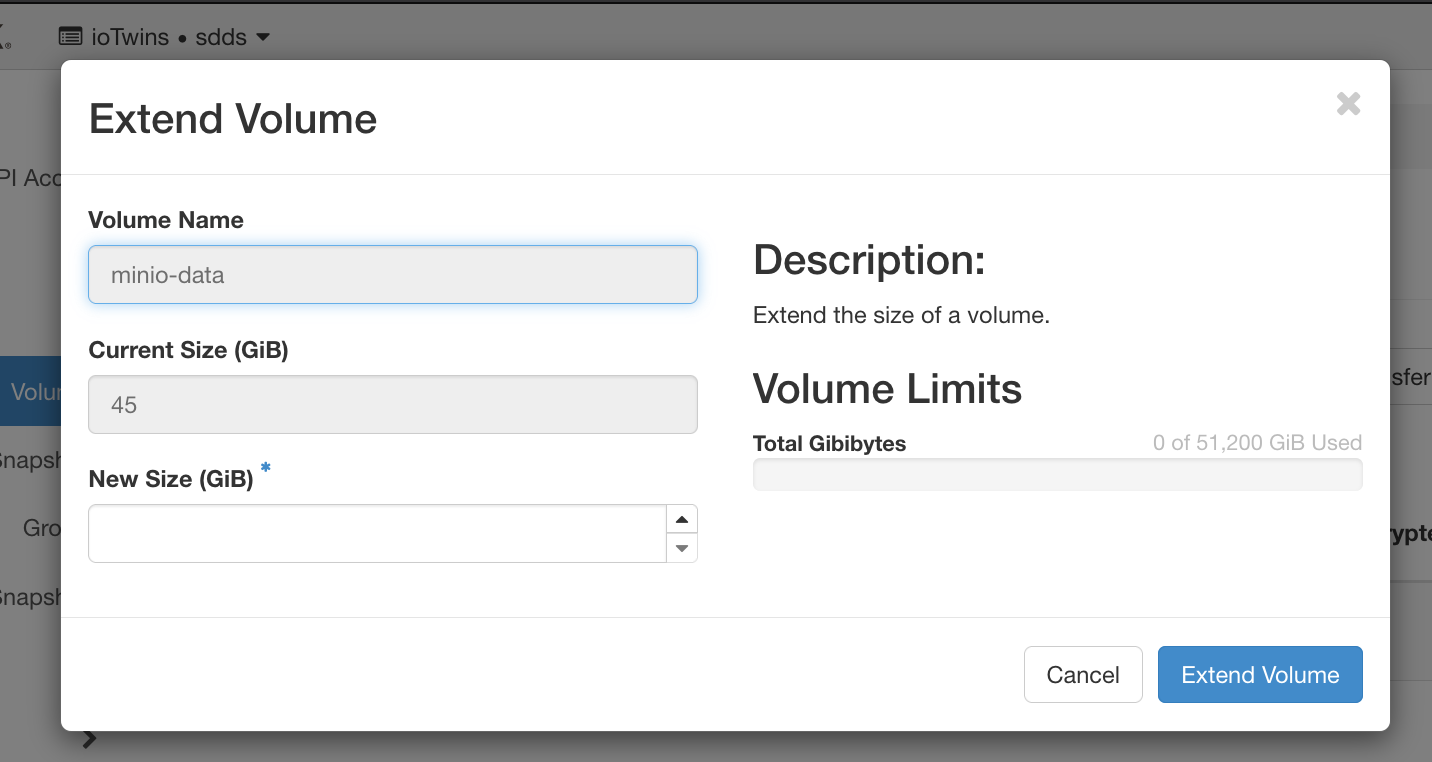
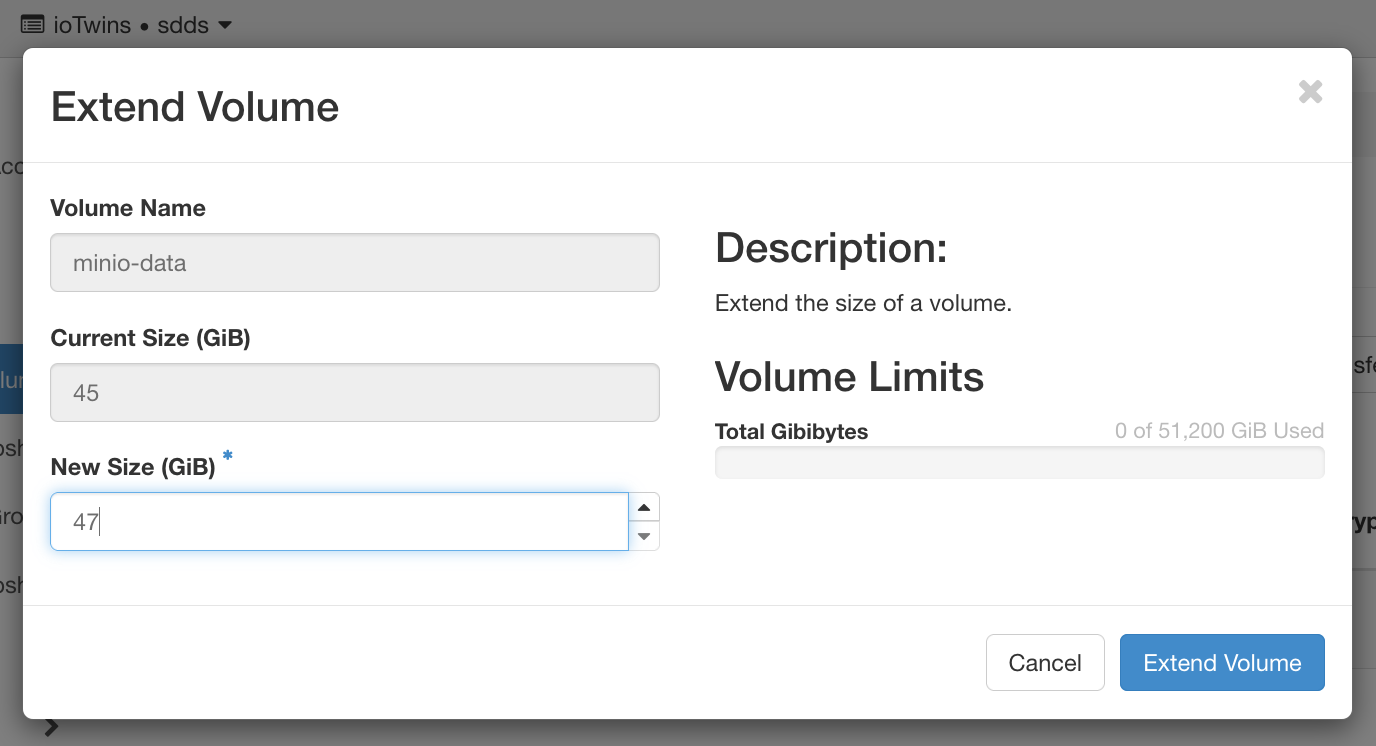

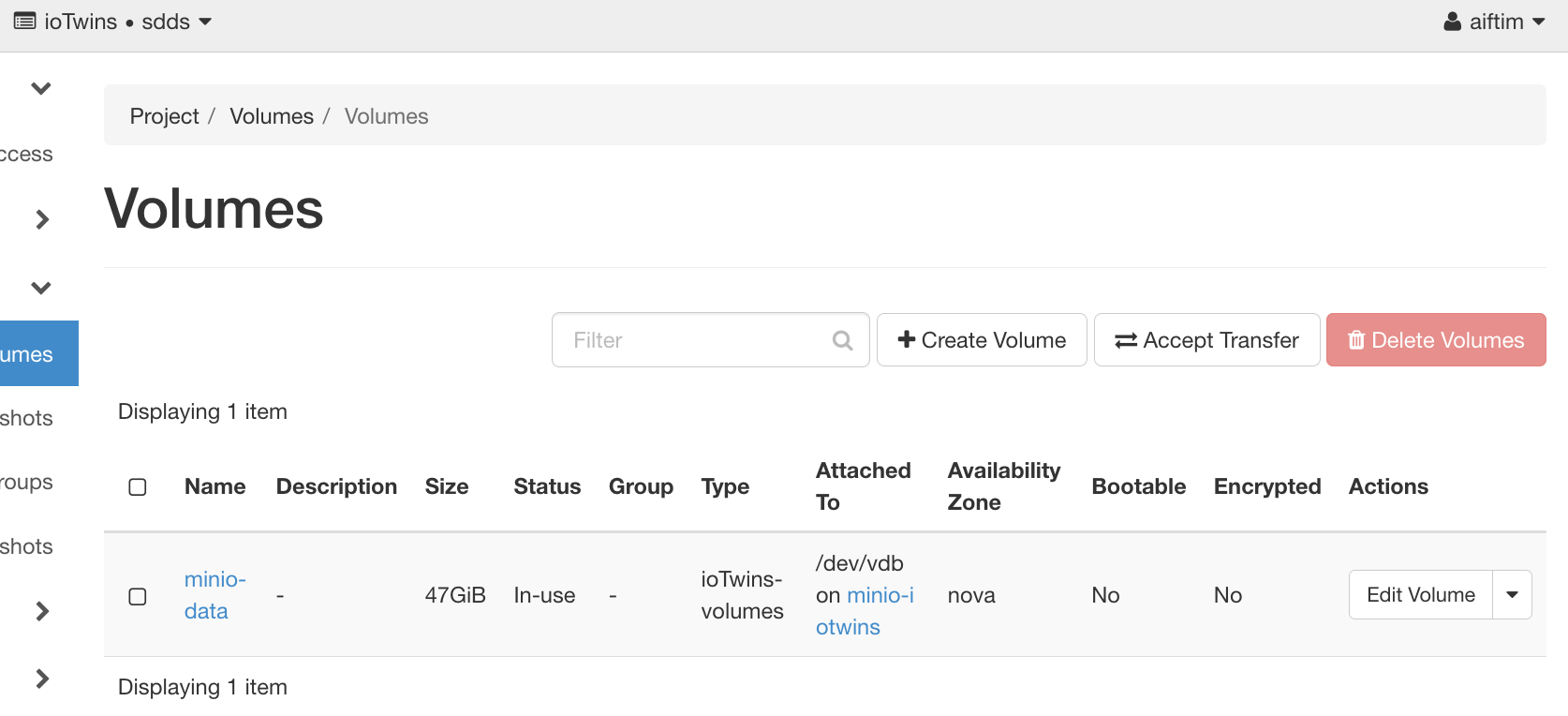
Connect to the instance and perform a resize so the the device show the entire disk size:
root@minio-iotwins:~# df -h Filesystem Size Used Avail Use% Mounted on udev 3.9G 0 3.9G 0% /dev tmpfs 798M 844K 798M 1% /run /dev/vda1 78G 2.3G 76G 3% / tmpfs 3.9G 0 3.9G 0% /dev/shm tmpfs 5.0M 0 5.0M 0% /run/lock tmpfs 3.9G 0 3.9G 0% /sys/fs/cgroup /dev/vda15 105M 3.6M 101M 4% /boot/efi overlay 78G 2.3G 76G 3% /var/lib/docker/overlay2/9984becaaa691c6aa6842273a6f2e137e1fa0737bbca94dec1554caeee021f44/merged overlay 78G 2.3G 76G 3% /var/lib/docker/overlay2/ca67048011fc1a9e67ecf4ebad11aa2f210cac4336ef9683ccd6005251d4e69e/merged shm 64M 0 64M 0% /var/lib/docker/containers/fa9ae914556ca58893dd248939e8132710f672289b0baa35d8fb43d790c1deb9/mounts/shm shm 64M 0 64M 0% /var/lib/docker/containers/8cab3616d80fa0f136447f301ab699c5d3e2abb88f6a23b914dd34f7cb3dbf7d/mounts/shm tmpfs 798M 0 798M 0% /run/user/1000 /dev/vdc 45G 53M 42G 1% /data root@minio-iotwins:~# grep vdc /proc/partitions 252 32 49283072 vdc root@minio-iotwins:~# resize2fs /dev/vdc resize2fs 1.44.1 (24-Mar-2018) Filesystem at /dev/vdc is mounted on /data; on-line resizing required old_desc_blocks = 6, new_desc_blocks = 6 The filesystem on /dev/vdc is now 12320768 (4k) blocks long. root@minio-iotwins:~# df -h Filesystem Size Used Avail Use% Mounted on udev 3.9G 0 3.9G 0% /dev tmpfs 798M 844K 798M 1% /run /dev/vda1 78G 2.3G 76G 3% / tmpfs 3.9G 0 3.9G 0% /dev/shm tmpfs 5.0M 0 5.0M 0% /run/lock tmpfs 3.9G 0 3.9G 0% /sys/fs/cgroup /dev/vda15 105M 3.6M 101M 4% /boot/efi overlay 78G 2.3G 76G 3% /var/lib/docker/overlay2/9984becaaa691c6aa6842273a6f2e137e1fa0737bbca94dec1554caeee021f44/merged overlay 78G 2.3G 76G 3% /var/lib/docker/overlay2/ca67048011fc1a9e67ecf4ebad11aa2f210cac4336ef9683ccd6005251d4e69e/merged shm 64M 0 64M 0% /var/lib/docker/containers/fa9ae914556ca58893dd248939e8132710f672289b0baa35d8fb43d790c1deb9/mounts/shm shm 64M 0 64M 0% /var/lib/docker/containers/8cab3616d80fa0f136447f301ab699c5d3e2abb88f6a23b914dd34f7cb3dbf7d/mounts/shm tmpfs 798M 0 798M 0% /run/user/1000 /dev/vdc 47G 53M 44G 1% /data |
Check data is still present on the
root@minio-iotwins:~# ll /data/ total 40 drwxr-xr-x 7 root root 4096 Dec 18 16:03 ./ drwxr-xr-x 24 root root 4096 Dec 18 06:17 ../ drwxr-xr-x 6 root root 4096 Dec 18 15:00 .minio.sys/ drwxr-xr-x 2 root root 4096 Dec 18 15:47 cduma/ drwx------ 2 root root 16384 Dec 17 16:28 lost+found/ drwxr-xr-x 3 root root 4096 Dec 18 16:05 rossitisbeni/ drwxr-xr-x 4 root root 4096 Dec 18 16:02 scratch/ root@minio-iotwins:~# ll /data/scratch/ total 16 drwxr-xr-x 4 root root 4096 Dec 18 16:02 ./ drwxr-xr-x 7 root root 4096 Dec 18 16:03 ../ drwxr-xr-x 2 root root 4096 Dec 18 16:01 pippo/ drwxr-xr-x 2 root root 4096 Dec 18 16:02 rossitisbeni/ root@minio-iotwins:~# ll /data/scratch/pippo/ total 32 drwxr-xr-x 2 root root 4096 Dec 18 16:01 ./ drwxr-xr-x 4 root root 4096 Dec 18 16:02 ../ -rw-r--r-- 1 root root 23407 Dec 18 16:01 'Screenshot 2020-12-18 at 10.50.50.png' |