...
The procedure to be followed is described in the following flowchart
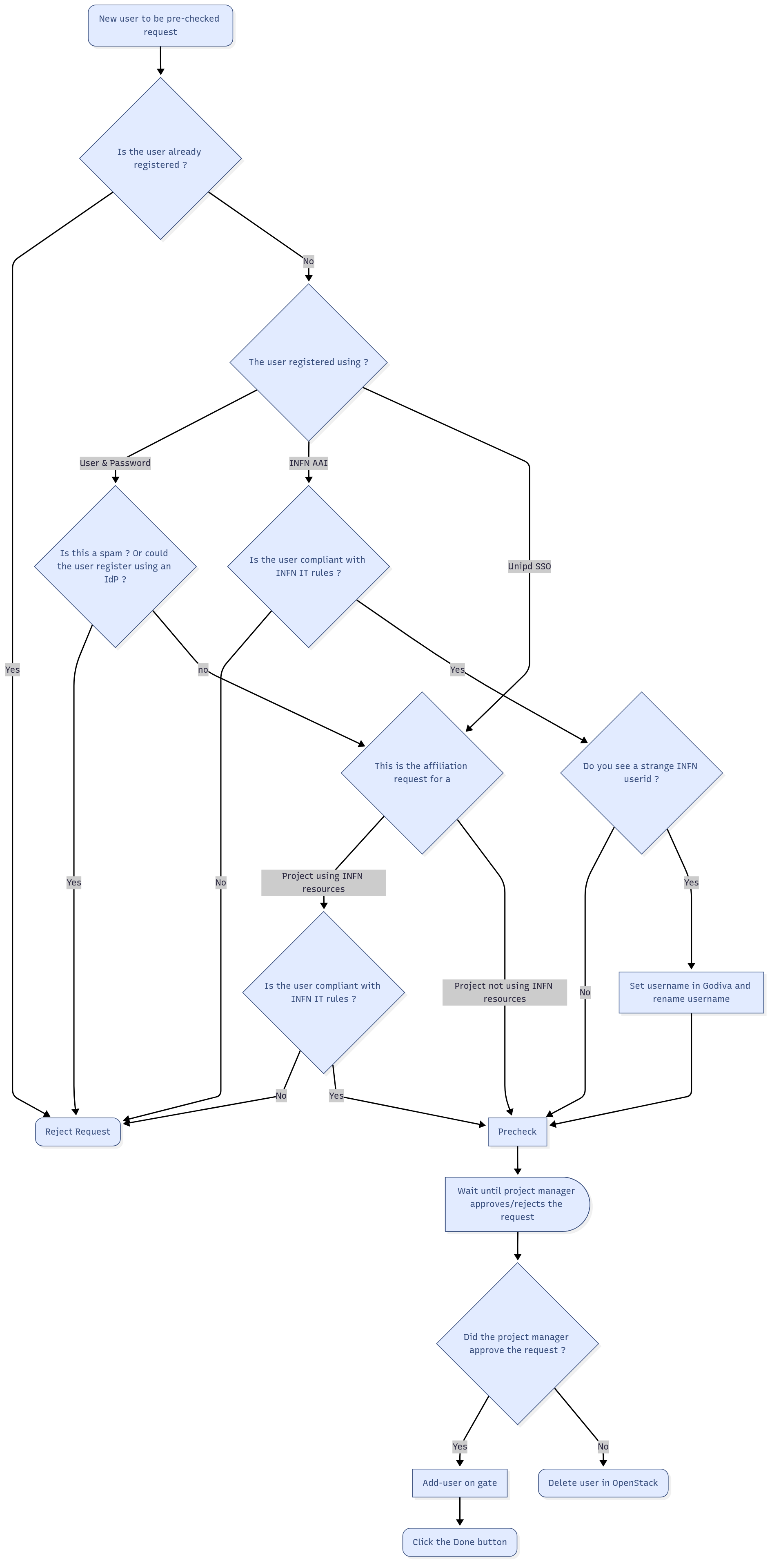
Details on the single steps are described below
...
- If a user registered via INFN-AAI, the proposed user name is something like user@infn.it. If the username is somehow weird (e.g. 71771ba4-5781-4cda-beff-040f0edb0288@infn.it) this is because the user has not (yet) a username in GODIVA (because he didn't ask yet an account on a INFN site). We will fix this in the registration procedure
- You can check if a user registered via the Unipd Idp (Unipd SSO) if the proposed user name is something like user@unipd.it or user@studenti.unipd.it.
...
Please also discuss with the user, via e-mail, about the problem
Do you see a strange INFN userid ?
If a user registered via INFN-AAI, the proposed user name is something like user@infn.it. If the username is somehow weird (e.g. 71771ba4-5781-4cda-beff-040f0edb0288@infn.it) this is because the user has not (yet) a username in GODIVA (because he didn't ask yet an account on a INFN site).
Set username in Godiva and rename username
In GODIVA set a username for this user. If you don't have the privs to do this operation asks Alberto/Massimo/Rita/Sergio
During the precheck (in the pop-up window), rename the OpenStack username from the weird username to the new defined user in Godiva.
Pre-check
Select the relevant request and click on Action → Pre check.
...